How Spatial Interfaces Are Moving From Demo to Daily Tool
Spatial computing becomes practical when three-dimensional views, voice, gaze and hand input remove a real obstacle instead of adding spectacle to a familiar screen task.

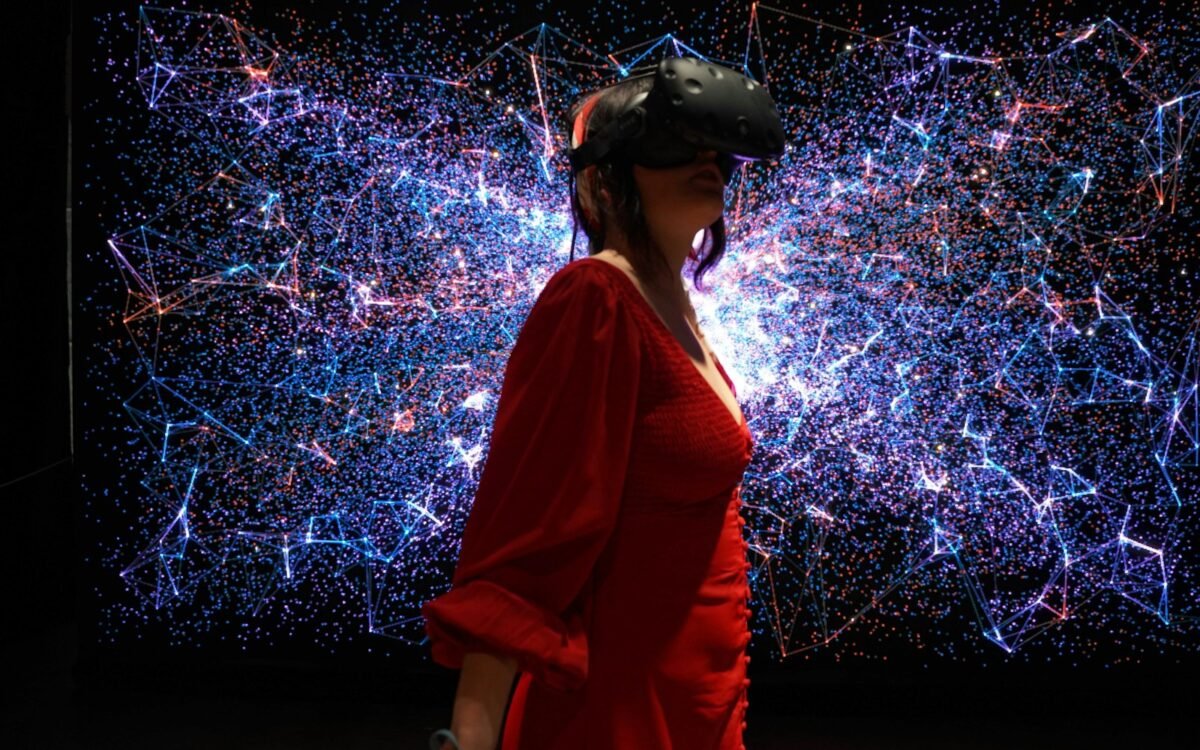
A three-dimensional model on a desk can look impressive for a few minutes. It becomes useful when a person can inspect a difficult part, rehearse a procedure or understand a place that is expensive to visit. That distinction is shaping the next phase of spatial interfaces. The technology is moving beyond the question of whether virtual or augmented reality can amaze someone and toward the harder question of which daily tasks benefit from seeing and manipulating information in space.
Spatial interfaces include headsets, augmented-reality glasses, room-scale displays and software that anchors digital objects to the physical world. They combine visual depth with inputs such as hand movement, gaze, voice, controllers and ordinary keyboards. No single format will suit every task. A good design chooses the smallest amount of spatial interaction that makes the work clearer.
The shift will be gradual because daily tools must work for long sessions, in changing environments and with people who are not experts. Comfort, safety and recovery from mistakes matter as much as visual fidelity.
Useful work starts with a spatial problem
Spatial tools are strongest when location, scale or physical relationship is part of the task. A designer can examine how components fit together. A technician can see an instruction near the equipment being serviced. A learner can explore a structure that is difficult to access safely. A remote team can share a model when a flat document hides the relationships that matter.
Not every three-dimensional task needs a headset. A well-designed desktop view may be faster for precise text entry or comparison. Spatial computing should earn its hardware by reducing a real difficulty: the cost of travel, the risk of a physical rehearsal, the confusion created by a flat diagram or the time required to understand a complex object.
Teams should define the decision the interface supports before buying equipment. If the goal is training, can the learner practise the difficult step and receive useful feedback? If the goal is design review, can participants identify and record changes? A demo may answer whether the experience is memorable. A pilot must answer whether it improves the work.
Input is becoming multimodal
Spatial systems can combine gaze, hand gestures, voice, controllers and physical accessories. That combination can make interaction feel natural, but natural is not the same as reliable. A small hand movement may be hard to detect, a spoken command may be inappropriate in a shared room and gaze can be useful for pointing without proving intent.
Good interfaces use modes that complement one another. A user may look at an object, use a hand gesture to select it and use a physical keyboard to name it. The system should show which object is active, what action will happen and how to undo it. Ambiguity is especially costly when digital content is anchored to the physical world.
Accessibility should be part of the main design. People have different ranges of motion, vision, hearing, balance and speech. A task that can be completed only with a precise gesture is not broadly accessible. Adjustable scale, alternative input and a way to use the core workflow without continuous movement can make spatial tools more practical.
Designers must respect the body
A spatial interface occupies attention and can create fatigue. Headset weight, display clarity, motion smoothness, lighting and the distance of virtual objects all affect comfort. A person may tolerate an awkward experience for a short demonstration but not for a workday. Breaks, seated options and clear transitions are part of the product rather than signs that the technology has failed.
Safety extends beyond the wearer. A person looking through a display may miss a colleague, a moving vehicle or an obstacle. Systems used in workplaces should define when spatial overlays are allowed and when the physical environment must take priority. Virtual objects should not obscure hazards or create a false impression that a route is clear.
Privacy is equally important. Eye movement, room scans, voice and hand position can reveal more than a conventional application collects. Organisations should minimise data, explain retention and separate what is needed for immediate interaction from what is stored for later analysis. A room map should not become an unexamined record of a private home.
Daily tools need continuity
Spatial work rarely replaces every other interface. People still need to sign in, write detailed notes, review a long document and collaborate with colleagues who do not have the same hardware. The most durable systems connect to existing files and workflows instead of creating a separate island of 3D content.
That connection requires standards, good exports and clear ownership. If a model can be viewed only in one application, a team may hesitate to make it part of a critical process. If a training record cannot be checked outside a headset, managers may struggle to assess progress. Interoperability is not as visible as a virtual object, but it determines whether the object can survive a product change.
Cost also includes content creation, device management, cleaning, support and replacement. A spatial pilot should measure the complete workflow, including the moments when a person removes the headset and returns to a conventional tool. A small, repeatable benefit is a better foundation than a spectacular but isolated experience.
Spatial computing becomes ordinary when the space helps people think, not when the technology asks them to admire the space.
The path from demo to daily tool will be built through specific tasks, comfortable hardware and interfaces that respect attention. Spatial technology does not need to appear everywhere. It needs to appear where the shape of the problem genuinely calls for it.
Key takeaways
- Choose spatial interfaces for tasks where location, scale or physical relationships matter.
- Combine input modes with visible state, undo controls and accessible alternatives.
- Evaluate comfort, safety, privacy, interoperability and full operating cost in every pilot.